
Why Manual Business Processes Are Costing You More Than You Think
If your team is still manually entering invoice data into spreadsheets, chasing down overdue payments by email, or copy-pasting leads between apps, you're not just losing time — you're losing money at a measurable, quantifiable rate. Recent data reveals that manual data entry costs U.S. companies an average of $28,500 per employee annually in lost productivity and error correction alone. That figure isn't an abstraction. It's salaries paid for work that software could handle in seconds.
The shift from manual to automated workflows is no longer a competitive differentiator. In 2026, it's the baseline for running a functional business. Small and mid-sized companies now have access to the same automation infrastructure that enterprise teams have used for years — and the tools have matured enough that you don't need a developer to use them. This guide walks through exactly how to automate business processes: which ones to start with, how the mechanics work, and which tools are worth your time.
What Business Process Automation Actually Means
Automation gets thrown around loosely, so it's worth being precise. Business process automation (BPA) means using software to execute a defined sequence of tasks based on rules you set in advance — without human intervention at each step.
Every automated workflow has the same three components:
- Trigger: The event that starts the process (a new form submission, an incoming invoice, a calendar date)
- Actions: The steps the software takes in response (send an email, update a database record, route a document for approval)
- Conditional logic: Rules that determine which path the process follows (if invoice amount > $500, require CEO approval; otherwise, auto-approve)
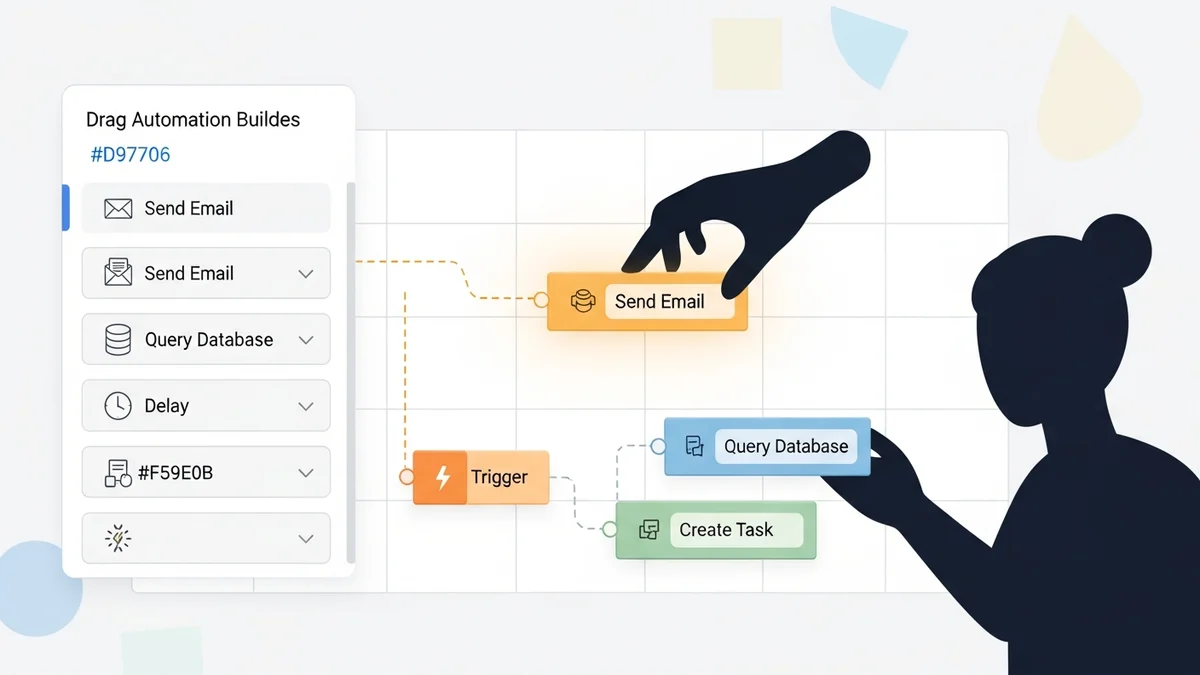
What makes modern automation genuinely useful is that these three elements can now be combined visually, without code, using platforms like Activepieces or Make. The result is that any process your team repeats on a predictable schedule — invoicing, lead follow-up, onboarding, reporting — becomes a candidate for automation.
The honest caveat: automation doesn't replace judgment. It removes the mechanical repetition so that judgment can go where it actually matters.
The 5 Business Processes That Deliver the Fastest ROI When Automated
Not every process is worth automating. The highest-return targets share two traits: they're high-frequency (done daily or weekly) and they're rule-based (the outcome is predictable given a set of inputs). Here are the five areas where automation pays back the fastest.
1. Accounts Payable: Eliminating the Paper Invoice Workflow
Accounts payable is one of the most labor-intensive functions in finance — and one of the most straightforward to automate. According to data from Ardent Partners, the average cost to process a single invoice manually runs between $12 and $19. With automated AP tools, that cost drops to under $3 per invoice.
Modern AP automation works through a three-step sequence. First, Optical Character Recognition (OCR) reads incoming invoices and extracts vendor name, invoice number, due date, and line items automatically. Second, the software routes the bill to the correct approver based on rules you define (amount thresholds, department, vendor type). Third, once approved, payment is scheduled automatically via ACH or virtual card.
To put that in concrete terms: a construction firm processing 200 invoices per month spends roughly $3,000 in manual labor costs. Automating AP brings that to approximately $600 per month — a savings of $28,800 per year, plus the elimination of duplicate payments and late fees.
2. Accounts Receivable: Making Overdue Invoices a Non-Issue
Cash flow problems kill small businesses, and the data is stark: 49% of invoices issued by small businesses go past due. The primary reason isn't that clients don't intend to pay — it's that the friction of manual follow-up means reminders get sent late, inconsistently, or not at all.
Automated AR solves this with what's called "dunning" — a sequence of pre-written, escalating payment reminders triggered by invoice age. Configure the sequence once: a reminder 3 days before the due date, a notice on the due date itself, a follow-up 5 days after. The software sends each message automatically, without anyone on your team having to remember or feel awkward about it. Recurring clients get invoices generated and sent on schedule without manual creation. Payment portals embedded in invoices let clients pay via card or ACH instantly, removing the check-mailing delay entirely.
Newsletter
Get the latest SaaS reviews in your inbox
By subscribing, you agree to receive email updates. Unsubscribe any time. Privacy policy.
3. Lead Follow-Up and CRM Data Entry
Sales teams lose an enormous amount of time on administrative work that should never touch a human. Logging calls, updating contact records, moving leads between pipeline stages, and sending follow-up emails after demos — these are all mechanical tasks that automation handles reliably. Tools like Close and Freshsales include built-in automation that triggers follow-up sequences based on prospect behavior, ensuring no lead gets forgotten because a rep was busy.
The consistency argument here is underrated. When follow-up depends on individual reps remembering to act, you get inconsistent outreach and gaps. When it's automated, every lead gets the same treatment on the same schedule — and your data stays clean because records update automatically rather than relying on reps to log activity manually.
4. Employee Onboarding
HR onboarding is a perfect automation target because it's high-stakes (new hires form their first impression of the company during this process) and highly repetitive (the same documents, accounts, and introductions need to happen for every new hire). Automating onboarding means a trigger — a hire date reached, or an HR system update — kicks off a sequence that sends welcome documents, creates software accounts, assigns training modules, and schedules check-in meetings without anyone manually coordinating each step.
The downstream benefit is visibility. Manual onboarding processes often fail silently — a new hire doesn't get system access because someone forgot to submit a request. Automated workflows either complete or flag failures, which means problems surface immediately rather than on day one when the new hire sits down at their desk.
5. Repetitive Data Entry and Cross-App Syncing
This category is broad but ubiquitous. Any time someone copies data from one app and pastes it into another — from a form submission into a CRM, from a CRM into a billing system, from a spreadsheet into a project management tool — that's an automation opportunity. Beyond the time cost, manual data transfer introduces errors at every step. Research from Systems and Teams puts the error reduction from automation at 40–75%, with overall productivity gains of 25–30%.
Platforms like Zapier and n8n exist almost entirely for this purpose: connecting apps that don't natively talk to each other. If your business runs on five or more SaaS tools, you almost certainly have manual data-sync tasks that could be eliminated entirely.
Choosing the Right Automation Tool for Your Business
The market for automation tools is crowded, and the honest answer is that the right choice depends on your technical comfort level, how many apps you need to connect, and how complex your workflows are. Here's a clear breakdown of the main options based on the research:
| Tool | Best For | Technical Skill Required | Standout Strength |
|---|---|---|---|
| Zapier | Small teams, quick app connections | None (no-code) | Largest app library, fastest setup |
| Make | Complex multi-step workflows | Low (visual builder) | Advanced logic, lower cost at scale |
| Activepieces | Teams wanting AI agents + no-code | None (no-code) | Open-source, AI agent builder included |
| n8n | Technical teams, self-hosted needs | Medium (some coding optional) | Self-hostable, developer-friendly |
| Microsoft Power Automate | Microsoft 365 shops | Low to medium | Deep Office 365 and Dynamics integration |
One observation worth making: most businesses start with Zapier because it's the fastest way to see results, then migrate to Make or n8n as their workflows become more complex and the per-task pricing starts to add up. If you're starting fresh and want to avoid that migration later, building on Activepieces or n8n from the start gives you more flexibility as you scale, especially if data privacy or self-hosting matters to your organization.
For sales-specific automation, Workato and Microsoft Power Automate handle enterprise-grade integration needs, while Pipedream appeals to developer teams who want code-level control with an automation platform's infrastructure.
How to Start Automating Business Processes Without Getting Overwhelmed
The biggest mistake businesses make when starting with automation is trying to do too much at once. Automating five broken processes at the same time creates five points of failure you need to debug simultaneously. A disciplined approach produces better results.
Step 1: Audit your repetitive tasks honestly
Have every team member track how they spend their time for one week. Look specifically for tasks that happen more than once per week, involve moving data between apps, follow a predictable sequence of steps, or require no judgment to complete. These are your automation candidates.
Step 2: Prioritize by volume and error cost
Not all repetitive tasks deserve automation first. Prioritize the ones where errors are expensive (invoicing, payroll, compliance) and the ones with the highest frequency. A task done 50 times per week that takes 2 minutes each time costs 100 minutes weekly — more than enough to justify building an automation.
Step 3: Start with one workflow and measure it
Pick a single process, build the automation, and run it for two to four weeks before expanding. Measure time saved, error rate, and any edge cases the automation doesn't handle. This gives you a real ROI number to justify further investment — and teaches you where the exceptions live before you build more complexity on top of an untested foundation.
Step 4: Document the rules before you build
Every automation failure traces back to an undocumented exception. Before touching any tool, write out exactly how the process works: what triggers it, what happens at each step, and what should happen when something unexpected occurs. Automation software executes rules with perfect consistency — which means any rule you forget to specify becomes a gap the software will expose.
The Real Measure of Success
Business process automation succeeds when it becomes invisible — when the invoice gets processed, the lead gets followed up with, and the new hire gets onboarded without anyone on your team having to think about it. That's not a fantasy. The data is consistent: 30% of IT professionals report meaningful time savings once automation tools are in place, and error rates fall by 40–75% on automated processes compared to manual ones.
The businesses that benefit most aren't the ones that automate everything immediately. They're the ones that identify one high-friction process, remove that friction completely, and then apply the same discipline to the next one. Done methodically, automation compounds — each workflow you eliminate frees up attention to find and fix the next bottleneck. The starting point is simpler than most teams expect: pick one process, pick one tool, and build one thing that works.