Why Automated Customer Onboarding Is a Business Priority in 2026
Closing a deal is not the finish line — it is the starting gun for the customer relationship. The weeks immediately following a sale represent your highest-stakes window: expectations are at their peak, scrutiny is sharpest, and the opportunity to demonstrate value is at its most concentrated. Get this window right and you convert a new customer into a long-term champion. Get it wrong and you hand your competitor a warm lead.
Most businesses still treat onboarding as an afterthought — a checklist stapled to the back of a contract. In 2026, that approach is actively costing money. Delays, handoff gaps, and unclear ownership surface early in customer satisfaction scores, renewal risk, and expansion friction. The research is consistent: onboarding now sits at the center of time-to-value, retention, and revenue expansion. Teams that automate it well scale without adding headcount. Teams that don't just create more chaos with every new signup.
This guide walks through the exact steps to automate your customer onboarding process — from mapping the workflow to choosing the right tools — with a focus on what actually works rather than what sounds good in a product demo.
Step 1: Map Your Process Before You Automate Anything
The most common mistake businesses make is attempting to automate a process they haven't yet defined. You cannot build a reliable trigger-based system on top of an undefined sequence of events. Before touching any tool, grab a whiteboard and document every step a customer goes through from the moment they pay to the moment they are fully onboarded.
What a Typical Onboarding Flow Looks Like
Most businesses, when they actually write this out, find between six and eight distinct steps. A typical B2B flow looks something like this:
- Payment confirmed
- Contract sent and signed
- Welcome email delivered
- Onboarding form or intake questionnaire sent
- Internal team notified and project created
- Kickoff scheduled
- Access and credentials provisioned
- First milestone or check-in set
Each of these steps is a candidate for automation. More importantly, each gap between steps is a candidate for friction. Where do clients get confused? Where do they stop responding? Where do you have to manually intervene? Those friction points are where the automation investment pays off fastest.
Identifying Manual Bottlenecks
One common pattern: a team sends a form, then manually checks for a reply, then moves the client to the next stage, then sends a payment link, then checks whether it's been paid, then remembers (or forgets) to send a welcome pack days later. This is not a workflow — it is a series of decisions wearing the costume of a process. Every decision point is a chance for delay, error, or inconsistency. Automation eliminates the decisions by making them in advance.
Step 2: Standardize Everything First
Automation requires consistency. If every client gets a slightly different contract, a custom welcome message, and an ad-hoc intake form, you cannot automate reliably — you will just be automating chaos at scale. Standardization is a prerequisite, not an optional step.
The Four Core Onboarding Assets to Lock Down
- One intake form — a single form that captures all the information you need from every client, no exceptions. If you find yourself asking follow-up questions regularly, add those questions to the form.
- One contract template — variable merge fields handle name, scope, and pricing. The structure stays constant.
- One welcome email — written once, tested, and deployed automatically. Not "drafted fresh each time."
- One onboarding guide or short video — a single resource that explains what happens next, in what order, and what the client needs to do. This eliminates the "What do I do now?" emails.
The moment you have to think about what to send next, you have already slowed down the system. The goal is to remove decisions and repetition entirely. A new client signs, and the machine runs. No judgment calls required.
Step 3: Replace To-Do Lists with Triggers
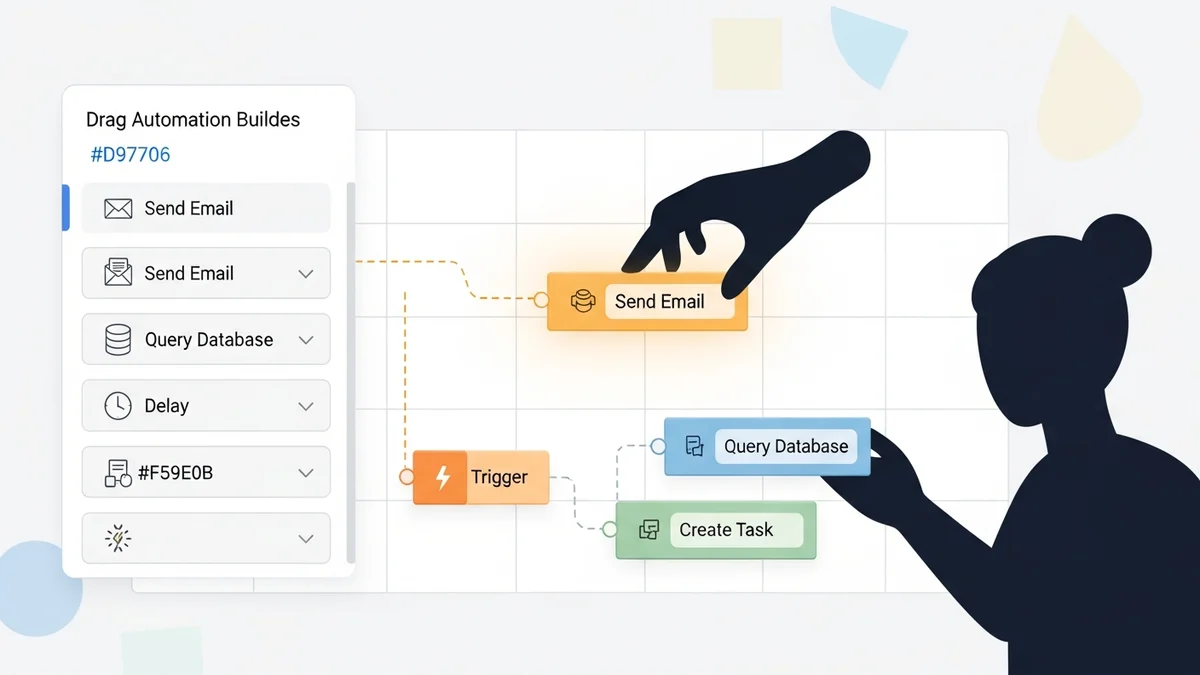
This is the philosophical shift that separates manual onboarding from genuinely automated onboarding. A to-do list requires a human to check it, decide what's next, and take action. A trigger system fires automatically the moment a defined condition is met. The outcome is identical — but one requires constant attention, and the other runs while you sleep.
How Trigger-Based Onboarding Works
When a client pays, that payment event triggers the entire downstream sequence. A welcome email goes out immediately. A link to the intake form is included. Your project management system creates a new project record. Your team gets a Slack or email notification. A calendar invite for the kickoff goes to both the client and the account manager. None of this requires a human decision — it just happens because a payment was recorded.
This is where tools like Zapier and Make earn their place in the onboarding stack. Both allow you to build multi-step automations that connect your payment processor, your CRM, your email platform, your document signing tool, and your project management system into a single coordinated flow. Zapier is better for teams that want a no-code interface with broad app coverage. Make offers more advanced logic and branching for complex onboarding sequences with conditional paths.
Connecting Your CRM to the Automation Layer
Your CRM is typically the system of record for the customer relationship, which makes it the natural anchor for onboarding automation. Close is particularly well-suited for sales-led onboarding flows — its built-in sequences and pipeline automation mean you can trigger onboarding steps directly from deal stage changes without needing a separate automation layer for basic tasks. For teams already in the Microsoft ecosystem, Microsoft Power Automate connects natively with Teams, SharePoint, Dynamics, and Outlook — making it a strong choice when onboarding involves document collaboration across departments.
For teams with more technical resources and a desire for greater control, n8n provides a self-hostable, open-source automation engine that handles complex onboarding workflows without per-task pricing penalties. When your onboarding volume is high, per-execution pricing from SaaS tools can become a real cost driver — n8n's model sidesteps that entirely.
Newsletter
Get the latest SaaS reviews in your inbox
By subscribing, you agree to receive email updates. Unsubscribe any time. Privacy policy.
The Best Tools for Customer Onboarding Automation in 2026
The right tooling depends on the nature of your onboarding — product-led, services-led, or enterprise implementation. Below is a comparison of the main automation tools suited to different onboarding contexts.
| Tool | Best For | Key Onboarding Capability | Ideal Team Size |
|---|---|---|---|
| Zapier | No-code teams, broad app integration | Multi-step Zaps triggered by payment or form completion | 1–50 people |
| Make | Complex conditional onboarding flows | Visual scenario builder with branching logic and iterators | 5–200 people |
| n8n | Technical teams wanting self-hosted control | Custom workflow logic, webhooks, self-hostable at scale | 10–500 people |
| Microsoft Power Automate | Microsoft 365 environments | Native SharePoint, Teams, Outlook, and Dynamics integration | 50–10,000 people |
| Workato | Enterprise cross-system orchestration | Pre-built onboarding recipes, enterprise-grade security | 500+ people |
| Activepieces | Open-source teams, budget-conscious ops | Community-built pieces for CRM and email triggers | 1–100 people |
One important caveat: no automation tool replaces a well-designed onboarding sequence. The tools execute what you define. If your intake form is incomplete, Zapier cannot fix that. If your welcome email is confusing, Make will send the confusion faster. The automation layer amplifies whatever experience you have designed — for better or worse.
What to Automate vs. What to Keep Human
The goal of onboarding automation is not to remove people from the equation. It is to remove people from the repetitive, low-judgment tasks so they can focus on the high-value, relationship-building moments. The distinction matters because over-automating onboarding is a real failure mode — clients can feel processed rather than welcomed, and that erodes trust at exactly the wrong moment.
Automate These Without Hesitation
- Payment confirmation emails and receipts
- Contract delivery and signing reminders
- Intake form delivery and follow-up reminders
- Internal team notifications when a new client signs
- CRM record creation and deal stage updates
- Project creation in your project management tool
- Scheduling links for kickoff calls
- Access provisioning and credential delivery
Keep These Human
- The first personal touchpoint — a genuine welcome message or short video from a real person
- Kickoff calls, especially for higher-ticket clients
- Any moment where a client signals confusion or concern
- Strategic conversations about goals and success metrics
The best onboarding systems feel effortless and personal simultaneously. Automation handles the logistics; your team handles the relationship. A client should never feel like they fell into a machine — they should feel like your team anticipated their every need in advance, which is precisely what a well-designed automated system enables.
Measuring Whether Your Onboarding Automation Is Working
Automation without measurement is just optimism at scale. The metrics that indicate a healthy onboarding process are concrete and worth tracking from the moment you deploy any automation.
The Four Metrics That Matter
Time-to-value (TTV) is the most important number. It measures how long it takes a new customer to experience the core benefit of your product or service. Automation should compress this — if your TTV is not shrinking after you automate onboarding, something in the sequence is still creating delays.
Activation rate tracks what percentage of new customers complete the key onboarding milestones (form submission, first login, first task completed, kickoff attended). A drop in activation rate is an early warning that a step in your automated sequence is losing people.
Customer satisfaction scores (CSAT) collected at the end of onboarding give you a direct signal on experience quality. Automated onboarding can sometimes feel impersonal — CSAT scores will tell you if that is happening before it shows up in churn data.
Early churn rate — customers who leave within the first 90 days — is the lagging indicator that poor onboarding is already costing you. If you are seeing early churn, the problem is almost always in the onboarding window, not product quality.
Track all four. Review them monthly. When one trends in the wrong direction, trace it back to a specific step in your onboarding automation sequence and fix that step. Onboarding optimization is not a project — it is an ongoing process of measurement and refinement.
The Bottom Line
Automating your customer onboarding process is not about removing the human element — it is about protecting it. When your team is not chasing signatures, sending manual reminders, or hunting for a client's details to set up a project, they have time to do the work that actually builds relationships. The mechanics run on autopilot. The humans focus on what only humans can do.
Start by mapping your current process exactly as it exists. Find the friction. Standardize the assets. Build triggers instead of to-do lists. Choose tools that match the complexity of your onboarding sequence — a small agency might need nothing more than Zapier connecting Stripe to Gmail to a project board, while an enterprise team coordinating across departments might need Workato or Microsoft Power Automate to orchestrate the full journey. The right level of complexity is the minimum required to make the process consistent, fast, and scalable.
More clients should not mean more chaos. With the right onboarding automation in place, it means more of everything that makes your business worth growing.