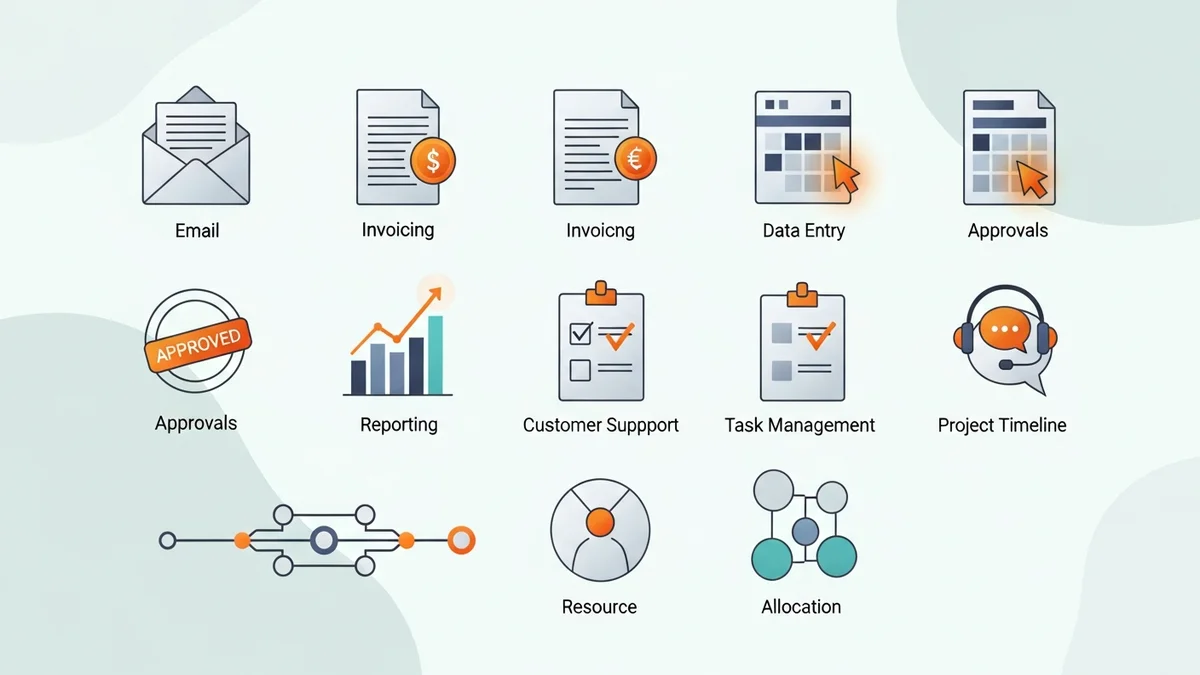

Why Business Process Automation Is No Longer Optional in 2026
Manual processes are quietly bleeding your business dry. Every time someone copies data between spreadsheets, chases an invoice approval over email, or manually qualifies a lead in your CRM, you're burning payroll on work that software handles in seconds. According to 2am.tech's 2026 automation research, companies that have adopted business process automation (BPA) report dramatic reductions in operational costs and error rates — and the gap between automated and manual-first businesses is widening every quarter.
This guide covers ten specific business processes where automation delivers the fastest, most measurable ROI. These aren't abstract concepts — they're workflows you're almost certainly running today, and every single one can be automated without a large tech team or a developer on staff.
The tools doing the heavy lifting in this space — platforms like Activepieces, Zapier, and Make — have matured considerably. They connect to hundreds of apps, support AI-powered decision logic, and require nothing beyond a browser to configure. The barrier to entry has never been lower. The cost of inaction has never been higher.
The 10 Business Processes You Should Automate First
1. Lead Capture and CRM Entry
Every sales team has the same problem: leads come in through web forms, LinkedIn, live chat, and email, and someone has to manually enter them into the CRM. This is the single most automated workflow in small and mid-size businesses for good reason — it's pure data entry with zero creative value.
Automation here means connecting your lead sources directly to your CRM. When a form is submitted on your website, a record is created automatically, the lead is scored based on your criteria, and a follow-up task is assigned to the right rep. Tools like Close and Freshsales have built-in workflow automation that handles this end-to-end within the CRM itself.
The real gain isn't just time saved — it's response speed. Leads contacted within five minutes of submitting a form are dramatically more likely to convert than those contacted an hour later. Automation removes the human delay entirely.
2. Invoice Processing and Accounts Payable
Invoice processing is one of the most error-prone manual processes in any business. Someone receives a PDF, extracts the line items, enters them into accounting software, routes the invoice for approval, and files the document. Each step introduces opportunities for mistakes and delays.
Automated invoice processing uses optical character recognition (OCR) combined with workflow rules to extract data, match invoices against purchase orders, route for approval based on amount thresholds, and push approved invoices directly to your accounting system. Finance teams using this approach consistently report processing times dropping from days to hours.
3. Employee Onboarding
Onboarding a new hire involves coordinating IT provisioning, HR paperwork, manager introductions, compliance training, and equipment requests — often across six or more departments. Without automation, someone is manually chasing each of these tasks every time a new person joins.
With automation, a single trigger (a new hire record created in your HR system) kicks off the entire sequence: IT gets a ticket to provision accounts, the manager gets a checklist, HR documents are sent for e-signature, and training modules are assigned. Platforms like Workato excel here because they're built for complex multi-system orchestration across enterprise tools.
4. Customer Support Ticket Routing
Support teams waste significant time triaging tickets that should have been routed automatically. When a customer emails about a billing issue, it shouldn't take a human to figure out that it belongs in the billing queue. When a ticket is marked urgent, someone shouldn't have to manually escalate it.
Automation reads incoming tickets, classifies them using keyword rules or AI-based natural language processing (NLP), assigns them to the right team or agent, sets priority levels, and sends acknowledgment emails to customers — all before a human has even looked at the queue. This reduces first response time and prevents high-priority issues from sitting unnoticed.
5. Social Media Scheduling and Publishing
For marketing teams managing multiple channels, manually scheduling posts is a daily time sink that produces no creative value. The content creation is the work; the scheduling is pure administration.
Automation tools can pull approved content from a shared queue, schedule posts at optimal times based on audience engagement data, cross-post to multiple platforms simultaneously, and notify team members when posts go live. This process pairs well with approval workflows — content moves from draft to approved to scheduled without anyone logging into each platform manually.
Newsletter
Get the latest SaaS reviews in your inbox
By subscribing, you agree to receive email updates. Unsubscribe any time. Privacy policy.
6. Inventory and Stock Level Monitoring
Inventory management is a process where manual oversight creates two expensive failure modes: overstocking (capital tied up in unsold goods) and stockouts (lost sales and frustrated customers). Both are largely preventable with automated monitoring.
Automated inventory workflows monitor stock levels in real time, trigger reorder requests when items fall below threshold quantities, update product availability on your website and sales channels automatically, and generate low-stock reports for buyers. This is particularly valuable for e-commerce businesses where inventory accuracy directly affects conversion rates.
7. Email Campaign Nurturing
Sending the same welcome email or follow-up sequence to every prospect manually is neither scalable nor effective. Automation enables behavioral email sequences — where what a contact receives next depends on what they did last.
When a lead downloads a whitepaper, automation can enroll them in a relevant nurture sequence, pause that sequence if they book a demo, and re-engage them with different content if they go cold. This is behavior-triggered marketing at scale, and it consistently outperforms batch-and-blast campaigns. n8n handles these kinds of multi-branch conditional workflows particularly well for teams who want fine-grained control over the logic.
8. Payroll Processing
Payroll is high-stakes, time-sensitive, and deeply repetitive — an ideal candidate for automation. The manual version involves collecting timesheets, verifying hours against schedules, applying deductions and benefits rules, and submitting to a payroll provider. Errors here aren't just costly; they damage employee trust.
Automated payroll workflows pull timesheet data, apply configured rules for overtime, PTO, and deductions, generate payroll reports for review, and submit to your payroll provider on schedule. Human oversight is still essential for exception handling, but the routine mechanics run without intervention.
9. Contract and Document Approval
Contract approval processes in most businesses are informal, slow, and impossible to audit. A contract gets emailed around, comments are made in threads, versions multiply, and no one is certain which document is final or who has approved what.
Automated document workflows route contracts to the right approvers in sequence, track who has reviewed and signed, send reminders for overdue approvals, and archive the final executed document in the correct location. The process becomes trackable, auditable, and significantly faster.
10. Reporting and Business Intelligence Dashboards
End-of-week and end-of-month reports are a significant time drain on operations and finance teams. Pulling numbers from multiple systems, formatting them into a consistent template, and distributing to stakeholders is a process that happens on a predictable schedule — which means automation can own it entirely.
Scheduled automation can pull data from your CRM, your analytics platform, your accounting software, and any other source, compile it into a standardized report format, and deliver it to the right people automatically. Microsoft Power Automate is particularly strong here for businesses already running on Microsoft 365, given its native integration with Excel, SharePoint, and Teams.
Comparing Key Automation Platforms for These Use Cases
Not every automation platform is equally suited to every process. Here's how the major players compare across the workflows covered above:
| Platform | Best For | Free Tier | Integrations | AI Capabilities |
|---|---|---|---|---|
| Activepieces | Lead routing, email workflows, self-hosting | Yes (unlimited flows on self-hosted) | 635+ | AI agent builder, MCP support |
| Zapier | Simple integrations, non-technical users | Yes (5 Zaps, 100 tasks/month) | 7,000+ | AI steps, Zapier Central |
| Make | Complex multi-step workflows, visual logic | Yes (1,000 ops/month) | 1,800+ | AI modules, HTTP/webhook flexibility |
| n8n | Developer teams, self-hosted, code flexibility | Yes (self-hosted, unlimited) | 400+ | LangChain integration, AI agents |
| Workato | Enterprise-grade multi-system orchestration | No (starts at $10,000+/year) | 1,000+ | WorkatoGPT, AI recipes |
| Microsoft Power Automate | Microsoft 365 ecosystems, reporting workflows | Yes (included with M365 plans) | 900+ | Copilot integration, AI Builder |
The right tool depends heavily on your existing tech stack and team's technical comfort level. Activepieces stands out for businesses that want open-source flexibility and a growing integration library without the cost ceiling of enterprise platforms. Zapier remains the easiest entry point for non-technical teams, though its per-task pricing scales poorly for high-volume workflows.
How to Prioritize Which Process to Automate First
The temptation when building out automation is to try to do everything at once. This is a mistake. Automation projects that sprawl across too many workflows simultaneously tend to stall, generate unreliable results, and frustrate the teams they're meant to help.
A better approach: score each candidate process on three dimensions.
Volume and Frequency
How often does this process run? A workflow that happens ten times per day delivers ten times the ROI of one that happens weekly. Invoice processing, lead routing, and support ticket triage are high-frequency processes that almost always justify early automation investment.
Error Rate and Consequence
Manual processes involving data entry are especially prone to errors, and some errors are far more costly than others. A mistake in payroll or a missed contract approval has real business consequences. These high-stakes, error-prone processes are strong automation candidates even if they don't run at high frequency.
Standardization
Automation works best on predictable, rule-based processes. If a workflow requires judgment calls, creative decisions, or frequent exceptions, it may need to remain partially manual — at least initially. Start with the processes that follow consistent rules and have clear inputs and outputs.
Using this framework, most businesses find that lead-to-CRM entry, invoice routing, and support ticket classification are the highest-value first automations. They're high-frequency, standardized, and their errors have real downstream costs.
What Good Automation Actually Looks Like in Practice
Business process automation isn't about removing humans from your operations — it's about removing humans from the parts of operations that don't benefit from human judgment. The goal is to free up your team for work that actually requires their skills: building relationships, solving novel problems, making strategic decisions.
The businesses getting the most from automation in 2026 share a few characteristics. They started with a single, well-defined workflow and documented it thoroughly before automating. They chose tools that integrate natively with their existing stack rather than adding new platforms. They built in exception-handling logic from the start, so edge cases get flagged to a human rather than silently failing. And they measured the before-and-after, so they could demonstrate ROI and justify expanding automation to additional processes.
The technology is ready. Platforms like Pipedream for developer-centric API workflows and Copper CRM for Google Workspace-native sales automation have made it possible to automate sophisticated workflows without months of implementation work. The question isn't whether your business processes can be automated. It's which ones you're going to tackle first.
Pick one process from this list. Map how it currently works. Identify every manual step. Then build the automated version. That first win will make the case for everything that comes after.






