
Zapier vs Make: The Honest Automation Showdown for 2026
Both Zapier and Make promise to eliminate repetitive manual work from your business. Both deliver. But they serve fundamentally different types of teams — and picking the wrong one will either leave you frustrated by complexity or hemorrhaging money on a pricing model that punishes growth.
This comparison is built on real pricing data and hands-on testing, not marketing copy. We'll tell you exactly who should use each platform, where each one breaks down, and how to avoid the most expensive mistakes teams make when choosing between them.
What Each Platform Actually Does
Zapier: The Automation Standard for Non-Technical Teams
Zapier built its reputation on one thing: making automation accessible to people who have never written a line of code. Its trigger-action model is intuitive enough that a marketing manager can connect their lead forms to a CRM in under five minutes. The platform supports 8,500+ app integrations — more than any competitor — which means you can almost always find a native connector for whatever SaaS stack you're running.
The reliability story is also compelling. Zapier maintains 99.9%+ uptime, which matters when automated workflows are embedded in client-facing processes. If your Zap misfires at 2am, Zapier's error handling catches it and alerts you. That peace of mind has real business value that's easy to overlook until you've experienced a failed automation in a self-hosted environment.
Make: Visual Power for Complex Workflows
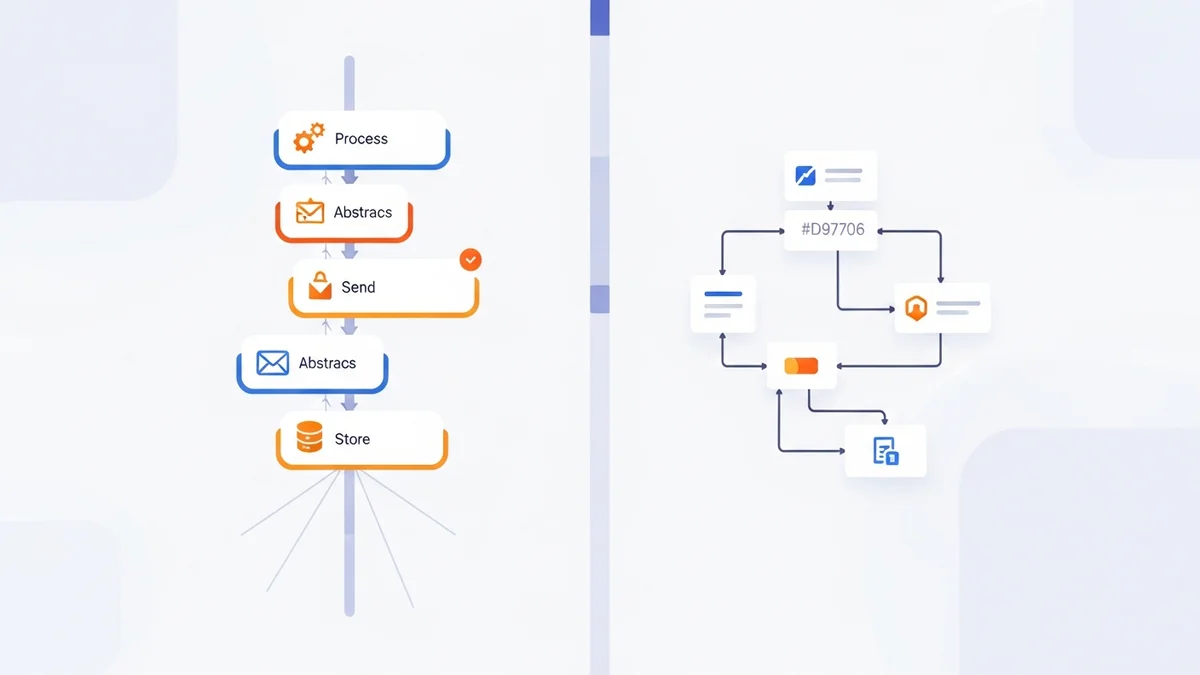
Make (formerly Integromat) takes a different philosophy. Its scenario builder is built around a visual canvas where you construct branching logic using routers, iterators, and aggregators. Where Zapier is a straight line from trigger to action, Make lets you build flowcharts — splitting data into parallel paths, looping through array items, and aggregating results back together before sending them downstream.
This power comes with a steeper learning curve. Make's interface requires you to understand data structures at a level Zapier abstracts away. But for teams running complex, multi-path workflows — think: conditional routing based on CRM field values, API calls with dynamic payloads, or processing bulk data exports — Make does things that would require a premium Zapier plan or custom code to replicate.
Pricing: Where the Real Difference Lives
The pricing gap between Zapier and Make is the single most important factor for most businesses evaluating these platforms. The difference is not marginal — it's structural.
| Plan Level | Zapier | Make |
|---|---|---|
| Entry paid tier | $29.99/month — 750 tasks | $9/month — 10,000 operations |
| Team / mid tier | $103.50/month — 2,000 tasks | Significantly lower at equivalent volume |
| High volume (100K+ units) | $500+/month | ~60% less than Zapier equivalent |
| Free tier | 100 tasks/month | 1,000 operations/month |
| Pricing model | Per task (each action step) | Per operation (each module run) |
Newsletter
Get the latest SaaS reviews in your inbox
By subscribing, you agree to receive email updates. Unsubscribe any time. Privacy policy.
The critical detail buried in Zapier's pricing: every action step in a multi-step Zap counts as a separate task. A 5-step Zap consumes 5 tasks per trigger event. This means a modest workflow running 200 times per day burns through 1,000 tasks daily — blowing past the Professional plan's 750-task monthly limit in less than a day. Teams routinely get surprised by this math when they move from simple two-step Zaps to real workflows.
Make's operation model is more generous at scale. While it also counts module executions, the base price of $9/month for 10,000 operations versus Zapier's $29.99 for 750 tasks represents a stark value difference for any team running real automation volume. At high scale, Make delivers roughly 60% cost savings compared to equivalent Zapier plans.
Ease of Use: Zapier Wins, But the Gap Closes Over Time
Zapier's Onboarding Advantage
Zapier's ease-of-use rating of 4.7/5 in independent testing is not hype. Creating your first Zap genuinely takes three minutes: select trigger app, choose the event, connect the action app, map the fields, activate. The OAuth handling is invisible to users. Non-technical team members can be building multi-step workflows the same day they sign up, with no IT involvement required.
This matters enormously for small businesses and teams without dedicated operations or engineering staff. If your marketing team needs to automatically add new form submissions to your CRM and send a Slack notification, Zapier is the fastest path from zero to working automation.
Make's Learning Curve Pays Off
Make requires a meaningful investment to understand. Concepts like iterators (for processing list items), aggregators (for collecting results), and routers (for conditional branching) don't have direct parallels in Zapier's model. New users often feel disoriented by Make's canvas-based interface coming from linear workflow tools.
However, this investment has a ceiling. Once a team member understands Make's core concepts — typically after a week of regular use — they can build workflows that would be impossible or prohibitively expensive in Zapier. The learning curve is not indefinite; it just front-loads the complexity.
Integrations: Zapier's Moat vs. Make's Depth
Zapier's 8,500+ app integrations represent a genuine competitive moat. For niche SaaS tools, legacy platforms, and anything outside the mainstream enterprise stack, Zapier is far more likely to have a native connector. This breadth is why teams default to Zapier when they're running unusual tool combinations — the connector almost always exists.
Make's integration library is smaller but its connectors tend to go deeper into individual APIs. Where Zapier might offer a connector that handles the most common actions for an app, Make's modules often expose more advanced API operations and let you pass custom parameters. For teams integrating with Close CRM or Freshsales, this depth can matter when you need to hit endpoints that a surface-level connector doesn't cover.
For most mainstream business tools — Google Workspace, Slack, HubSpot, Salesforce, Stripe — both platforms have solid connectors and the integration quality gap is negligible. The breadth advantage only becomes decisive when you're working with less common tools.
Which Platform Should You Choose?
Choose Zapier If...
- Your team has no technical background and needs to be self-sufficient in building automations
- You run fewer than 1,000 tasks per month and the premium pricing is acceptable
- You need a niche app integration that only Zapier supports
- Uptime guarantees and enterprise SLAs are non-negotiable
- You're connecting standard business tools and don't need branching logic
Choose Make If...
- Your automation volume exceeds 2,000 operations per month and pricing is a concern
- You need conditional routing, loops, or multi-path workflows that Zapier handles poorly at lower plan tiers
- At least one person on your team is comfortable learning a new interface
- You're building workflows that process bulk data — importing CSV exports, syncing large contact lists, or running batch API operations
- You want to avoid Zapier's per-step task counting on complex workflows
Consider Alternatives for Edge Cases
Neither Zapier nor Make is the right answer for every scenario. If your team is engineering-led and processing high execution volumes, n8n offers self-hosted deployment with unlimited executions at $20/month for cloud or free on your own infrastructure — a pricing model neither Zapier nor Make can match at scale. For enterprise-grade orchestration with IT governance requirements, platforms like Workato or Microsoft Power Automate enter the conversation.
The Bottom Line
The Zapier vs Make decision is not really about features — both platforms can automate the core business workflows that most teams need. It's about two variables: technical willingness and volume economics.
If you're paying for simplicity and reliability and your task volume stays moderate, Zapier's premium is worth it. The time saved onboarding non-technical users and the confidence of a battle-tested platform with 99.9%+ uptime justify the cost for many businesses.
If you're watching your automation bill climb above $100/month, Make's 60% cost advantage at equivalent volumes is too significant to ignore. The learning curve is real but bounded, and the visual scenario builder ultimately enables more sophisticated logic than Zapier's linear model at a fraction of the cost.
The worst outcome is staying on Zapier's Professional plan at $29.99/month while building complex multi-step workflows, watching your task count evaporate, and upgrading to Team at $103.50/month without ever evaluating Make's $9/month entry tier that handles 10,000 operations. Run the math against your actual workflow structure before you commit.





