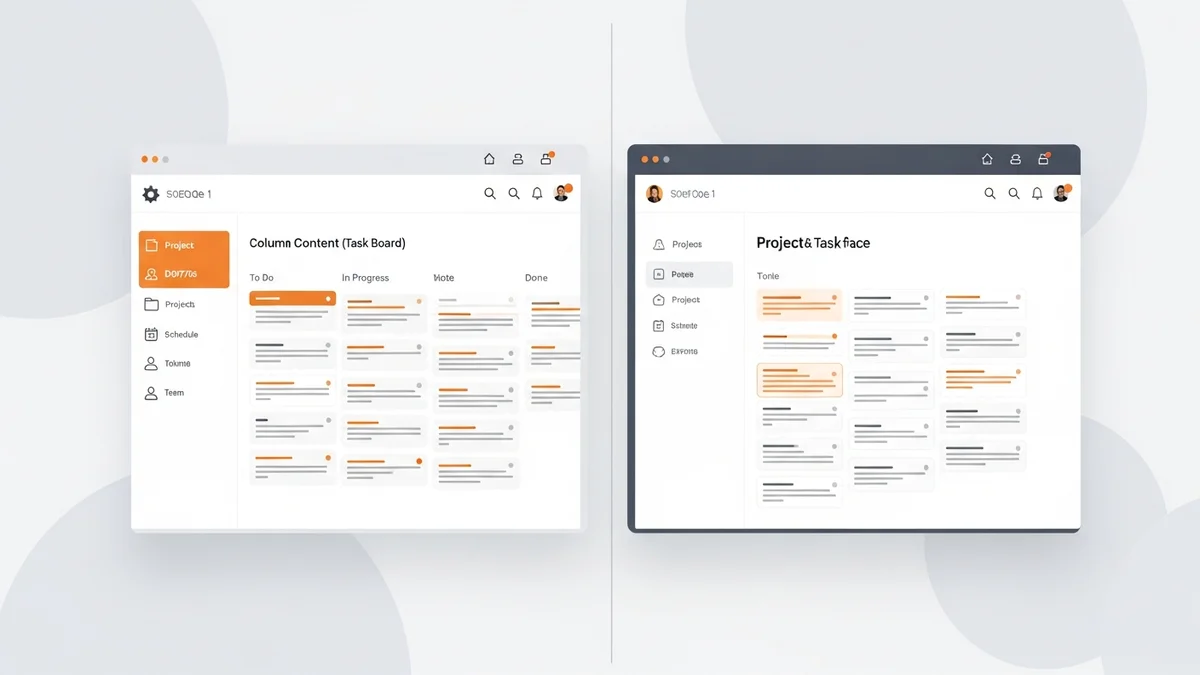

Monday.com vs ClickUp: Which Project Management Tool Is Right for Your Business in 2026?
Choosing between Monday.com and ClickUp is one of the most common dilemmas teams face when evaluating project management software. Both platforms have earned massive user bases, both land consistently high ratings on review sites, and both promise to bring order to the chaos of modern work. But they are genuinely different tools built around different philosophies — and picking the wrong one will cost you more than just money.
This comparison cuts through the marketing to give you a clear, honest verdict based on real testing and user feedback. Whether you're evaluating these tools for the first time or reconsidering your current setup, here's what you actually need to know.
At a Glance: Monday.com vs ClickUp
The core difference between these two platforms comes down to philosophy. ClickUp is built to be a single workspace that replaces as many tools as possible — tasks, docs, goals, time tracking, and automation all live under one roof. Monday.com takes a more focused approach, centering on visual boards and project tracking with a cleaner, more guided experience.
| Feature | ClickUp | Monday.com |
|---|---|---|
| Starting Price | Free; paid from $7/user/month | Higher cost at premium tiers |
| Free Plan | Yes | No (trial only) |
| Capterra Rating | 4.6/5 | High (ease-of-use focused) |
| Ease of Setup | Steeper learning curve | Faster to roll out |
| Customization | Extensive | Basic to moderate |
| Automation | Extensive, highly customizable | Basic, limited customization |
| Reporting | Detailed, customizable dashboards | Simplified, fewer options |
| Native Invoicing | No | Yes |
| Built-in Chat | Yes | No |
| Real-time Editing | Yes | No |
That table alone tells you a lot. ClickUp wins on raw capability almost across the board. Monday wins on simplicity and — notably — has native invoicing, which is a meaningful differentiator for client-facing teams.
Features Deep Dive
ClickUp's Feature Set
ClickUp earns its "Swiss Army knife" reputation honestly. It ships with list, board, Gantt chart, and calendar views out of the box, plus custom fields, task dependencies, priorities, and statuses that you can configure for almost any workflow. Time tracking, goal setting, and resource management are all built in — no integrations required.
What makes ClickUp genuinely powerful is the docs-and-tasks integration. You can write a brief, embed it in a task, and assign it — all without leaving the platform. For teams that currently bounce between Notion, Asana, and a spreadsheet, ClickUp can legitimately replace all three.
The tradeoff is real, though. Users frequently report that ClickUp can feel overwhelming during onboarding, and bugs surface more often than you'd expect from a mature SaaS product. The platform's ambition occasionally outpaces its polish.
Monday.com's Feature Set
Monday.com's strength is its visual clarity. The board-based layout — inherited from its early days as Dapulse — makes it immediately obvious what's happening across a project. New team members can understand a Monday board in minutes, which dramatically reduces rollout friction.
Newsletter
Get the latest SaaS reviews in your inbox
By subscribing, you agree to receive email updates. Unsubscribe any time. Privacy policy.
Monday also includes a native invoicing tool, which is genuinely useful for agencies and service businesses tracking billable work. It's not a full accounting replacement, but it covers the basics without requiring an integration. Where Monday falls short is in depth: dashboards are simpler, automation options are more limited, and real-time collaborative editing isn't available the way it is in ClickUp.
For teams that want clear project tracking with predictable structure, that simplicity isn't a weakness — it's a feature. The problem comes when teams hit the edges of what Monday can model and find themselves building workarounds.
Views and Dashboards
ClickUp offers a wider range of views with more customization per view. Monday keeps views more consistent and constrained, which actually helps adoption. If your team doesn't need highly granular dashboard configuration, Monday's approach means less time arguing about how to set things up. If you do need that depth — custom rollups, portfolio-level reporting, resource utilization — ClickUp is the better choice.
Ease of Use and Team Adoption
This is where Monday.com consistently pulls ahead, and it matters more than most buyers expect. The best project management tool is the one your team will actually use consistently. Monday's predefined structures and visual interface reduce the activation energy required to get a project up and running. Users praise it for being intuitive enough that even non-technical team members get comfortable quickly.
ClickUp requires more upfront configuration. You'll spend time deciding how to structure your workspace, which views to enable, and how to set up custom fields before the tool starts feeling natural. For teams with a dedicated operations person or an admin who can own the setup, that investment pays off. For smaller teams or those without technical bandwidth, it can become a source of ongoing friction.
The honest take: if you're a team of 5-15 people without a dedicated ops role, Monday is probably the smarter starting point. If you're running complex, multi-team workflows and want to consolidate tools, ClickUp's setup costs are worth absorbing.
Automation and Integrations
Automation is where the gap between these tools becomes most pronounced. ClickUp's automation features are extensive and highly customizable — you can build conditional logic, trigger actions across different spaces, and create workflows that would otherwise require a dedicated integration platform. Monday's automation is functional but limited, with fewer customization options and a more constrained trigger/action model.
For either platform, teams with complex automation needs will eventually reach for external tools. Zapier connects both ClickUp and Monday to thousands of other apps and is the most accessible entry point for teams without technical resources. For more powerful and cost-efficient automation, Make offers a visual workflow builder that handles multi-step logic particularly well — it's a strong complement to Monday in particular, filling in the gaps where Monday's native automation falls short.
Teams running higher-volume or enterprise-scale workflows should also evaluate n8n, which provides self-hostable automation with full code access when you need it. If you're integrating either platform with CRM or sales tooling, tools like Pipedream make it straightforward to wire up event-driven workflows between project management and customer data systems.
One practical note: ClickUp's built-in chat and email integrations reduce the need for external communication tools. Monday lacks native client communication features entirely, which means agencies in particular will need to route communication through integrations.
Pricing: What You Actually Pay
ClickUp has a meaningful free plan that works for small teams and solo users without a hard time limit. Paid plans start at $7 per user per month, which is genuinely affordable relative to what you get. For teams that would otherwise pay for separate doc, task, and time-tracking tools, ClickUp's pricing can represent a net savings even at paid tiers.
Monday.com's pricing runs higher at premium tiers, which multiple independent reviewers have flagged as a concern for growing teams. The platform doesn't offer a permanent free tier — only a trial — which means every seat adds to your monthly bill from day one. For smaller teams on tight budgets, this adds up faster than it does with ClickUp.
That said, if Monday's ease of use means your team adopts it fully while ClickUp would sit half-configured and underused, Monday's higher price might still deliver better value. Tool ROI is about actual utilization, not sticker price.
Which Tool Should You Choose?
Choose ClickUp if:
- You want to consolidate multiple tools — docs, tasks, goals, time tracking — into one workspace
- Your team runs complex, multi-phase projects with dependencies and custom workflows
- You have someone who can own the initial configuration and ongoing administration
- Budget is a constraint and you need a capable free tier or affordable paid plan
- You need detailed, customizable reporting and dashboards
Choose Monday.com if:
- Fast team adoption is the priority and you can't afford a long onboarding process
- Your projects are relatively straightforward and benefit from clear visual tracking
- You need native invoicing without setting up an integration
- Your team is less technical and needs a tool that guides them rather than configures for them
- You're managing client work where visual clarity matters for communication
The Bottom Line
Neither Monday.com nor ClickUp is universally better — they're optimized for different team profiles. ClickUp wins on capability, customization, and value at nearly every tier. Monday wins on ease of use, visual simplicity, and speed of adoption. The right answer depends almost entirely on your team's technical appetite and workflow complexity.
If you're still undecided, start with Monday for a trial and pay attention to whether your team's instinct is "I wish this could do more" or "I love how clear this is." That reaction will tell you more than any feature comparison.
And whichever platform you choose, plan your automation stack from day one. Tools like Make or Zapier will fill the gaps that any single project management tool leaves, and connecting your project data to CRM, billing, and reporting systems is what transforms a task tracker into a genuine business operating system.





