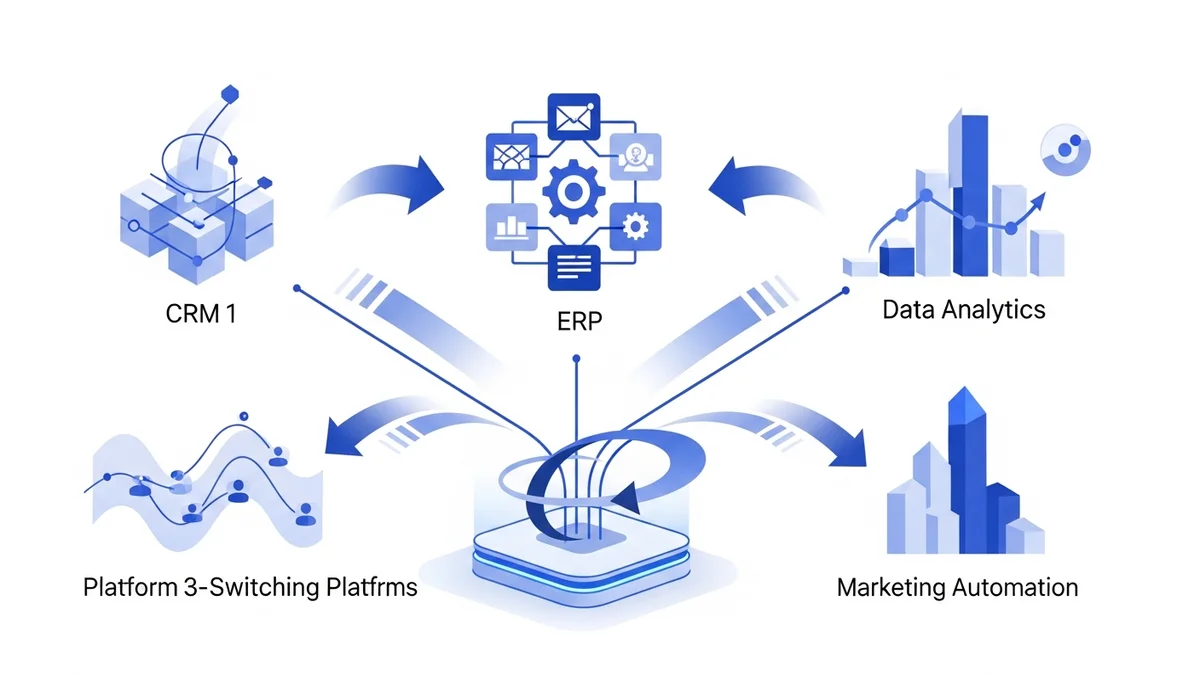

Why Businesses Are Moving Away From Kissflow in 2026
Kissflow built its reputation as an accessible low-code workflow platform, but as organizations scale, the cracks begin to show. G2 reviewers consistently flag four pain points: inconsistent permissions that expose data unless manually locked down, customization gaps (no sequence numbers, no clickable hyperlinks, inflexible dataset management), weak audit trails that make compliance difficult, and a mobile app stripped of core features. When your procurement cycle depends on approvals-on-the-go or your IT team needs granular access governance, those limitations are deal-breakers.
This guide covers eight proven Kissflow alternatives with exact pricing, specific differentiators, and a clear recommendation matrix so you can match a tool to your actual workflow complexity — not a generic feature checklist.
Top Kissflow Alternatives Compared
1. Make (Formerly Integromat)
If Kissflow's visual builder feels constraining, Make offers a scenario-based canvas where every data transformation is visible and editable. Rather than building forms and attaching workflows, Make treats automation as a visual data flow — each module shows exactly what data passes through it. This makes debugging dramatically easier than Kissflow's black-box workflow executor.
- Scenario scheduling: Run automations on a schedule down to 1-minute intervals on paid plans
- Data stores: Built-in database for storing variables between runs without an external tool
- Error handling: Dedicated error-handler routes that catch failures and re-route instead of silently dropping tasks
- 700+ app connectors with full HTTP/webhook modules for anything not on the list
Pricing: Free tier (1,000 operations/month, 2 active scenarios). Core plan $9/month (10,000 ops). Pro $16/month (10,000 ops + unlimited active scenarios). Teams $29/month (10,000 ops, team collaboration). Additional operations purchased in bundles. Enterprise pricing from approximately $500+/month.
Better than Kissflow when: Your workflows require multi-step data transformation, conditional branching on data values, or integrating more than 10 apps in a single flow.
2. Zapier
Zapier is the go-to for teams that need reliable point-to-point automation without IT involvement. Where Kissflow focuses on internal process forms and approvals, Zapier excels at connecting customer-facing tools — CRMs, support desks, marketing platforms — with zero configuration overhead.
- Paths: Conditional logic branches within a single Zap without building separate workflows
- Tables: Native database feature for storing and querying automation data
- Interfaces: No-code landing pages and forms that trigger Zaps directly
- 6,000+ app integrations — the largest ecosystem of any automation platform
- Formatter: Built-in data transformation (date formatting, text manipulation) that Kissflow lacks natively
Pricing: Free (5 Zaps, 100 tasks/month). Starter $19.99/month (750 tasks). Professional $49/month (2,000 tasks, multi-step Zaps). Team $69/month (2,000 tasks, shared workspace). Company $299/month (100,000 tasks, SSO, advanced admin).
Better than Kissflow when: Your automation needs center on connecting SaaS tools rather than managing internal approval workflows. Particularly strong for sales, marketing, and support teams.
3. Microsoft Power Automate
For organizations already on Microsoft 365, Microsoft Power Automate eliminates the integration complexity that plagues Kissflow users. SharePoint lists, Teams channels, Outlook approvals, and Dataverse databases connect natively — no API keys, no webhook configuration.
- Desktop flows (RPA): Automate legacy desktop applications that have no API — something Kissflow cannot touch
- AI Builder: Extract data from documents, classify text, and process forms using pre-built AI models without custom development
- Process mining: Analyze actual process execution to identify bottlenecks before building automations
- Approvals natively in Teams: Approval requests appear directly in Microsoft Teams with one-click approve/reject
Pricing: $15/user/month (Premium, cloud flows). $150/month per bot (Process, unattended RPA). $40/user/month (Premium + attended RPA). Included in select Microsoft 365 plans at a limited tier.
Better than Kissflow when: Your organization runs on Microsoft 365 and needs approval workflows that route through Teams and Outlook without requiring employees to log into a separate platform.
4. n8n
n8n is the self-hosted alternative for teams that refuse vendor lock-in. Unlike Kissflow, where all data flows through a shared cloud, n8n can run entirely on your own infrastructure — inside your VPC, behind your firewall, with your own data retention policies. This alone makes it the default choice for GDPR-strict European enterprises and healthcare organizations.
- Code nodes: Drop into JavaScript or Python mid-workflow for transformations no visual builder can handle
- Self-hostable: Full Docker/Kubernetes deployment with no data leaving your environment
- Fair-code license: Source code is visible and modifiable — audit every line of automation logic
- 400+ native integrations plus unlimited HTTP nodes
- Workflow templates: 600+ community templates covering common business processes
Pricing: Free self-hosted (unlimited workflows). Cloud Starter $20/month (2,500 workflow executions). Cloud Pro $50/month (10,000 executions). Enterprise cloud from approximately $500+/month (custom execution limits, SSO, audit logs).
Better than Kissflow when: Data sovereignty is non-negotiable, or your team includes developers who want to extend automation logic beyond what drag-and-drop allows.
5. Workato
Workato targets enterprise IT and operations teams that need orchestration across dozens of business systems simultaneously. While Kissflow focuses on individual workflow forms, Workato's "recipes" coordinate complex cross-system processes — an order in Salesforce triggers inventory checks in SAP, generates a PO in NetSuite, and notifies procurement in Slack, all within a single recipe.
Newsletter
Get the latest SaaS reviews in your inbox
By subscribing, you agree to receive email updates. Unsubscribe any time. Privacy policy.
- OPA (On-Prem Agent): Connect on-premise systems behind firewalls without exposing them to the internet
- Workbot: Deploy conversational automation bots directly into Slack or Teams
- API platform: Build and publish APIs from Workato recipes without a separate API gateway
- Recipe IQ: AI-powered recipe suggestions based on your existing app connections
- 1,200+ connectors with enterprise-grade ERP and HRIS coverage
Pricing: Enterprise pricing starting at approximately $10,000/year for small deployments. Mid-market packages typically run $2,000–$5,000/month depending on recipe count and connector usage. No public self-serve pricing.
Better than Kissflow when: You're orchestrating procurement, HR, or finance processes across ERP systems (SAP, Oracle, NetSuite) and need enterprise SLAs with dedicated support.
6. Activepieces
Activepieces is the fastest-growing open-source Kissflow alternative for teams that want a polished no-code experience without the SaaS pricing model. Built natively for AI-augmented workflows, Activepieces includes built-in OpenAI, Anthropic, and Google AI pieces that connect without custom API integration.
- Open source core: Full codebase on GitHub — deploy on your own server at zero software cost
- Pieces marketplace: Community-contributed connectors deployable in one click
- Native AI pieces: Pre-built connections to GPT-4, Claude, and Gemini for content generation, classification, and summarization within flows
- Branching and loops: Conditional logic and iteration that match Make's capability at a lower price point
Pricing: Free self-hosted (unlimited flows, unlimited users). Cloud Starter $19/month (10,000 tasks, 5 active flows). Cloud Pro $99/month (50,000 tasks, unlimited flows). Enterprise from approximately $300+/month (SSO, audit logs, SLA).
Better than Kissflow when: You're building AI-augmented business processes and want native LLM integration without paying per-API-call overhead on top of platform fees.
7. FlowForma
FlowForma is purpose-built for organizations that need to digitize paper-based processes and generate formal documents as part of workflows — a specific gap Kissflow struggles with. Its document generation engine produces Word and PDF documents directly from form submissions, making it the strongest choice for regulated industries like construction, healthcare, and financial services.
- Document generation: Auto-generate Word/PDF documents populated with form data — no mail merge, no manual copy-paste
- Microsoft 365 native: Built on SharePoint and Teams, so adoption requires no new login credentials for Microsoft shops
- Analytics dashboard: Process performance metrics built in, not bolted on via third-party BI tools
- No-code form builder: Conditional fields, calculations, and dynamic sections without developer support
Pricing: Enterprise-focused SaaS, typically starting at $500+/month for team deployments. Free trial available; contact for exact quotes based on user count and process volume.
Better than Kissflow when: Your workflows produce formal documents (inspection reports, compliance certificates, procurement contracts) that need to be generated automatically and stored in SharePoint or sent for e-signature.
8. Ramp
If you're using Kissflow specifically for procurement — purchase requisitions, vendor approvals, PO management — Ramp's procurement module is a category-specific replacement that outperforms general workflow tools on every procurement metric. Clients report completing PO approvals 90% faster after switching from general-purpose workflow tools.
- Automated three-way matching: Automatically matches POs, receipts, and invoices to flag discrepancies without manual review
- AI intake parsing: Upload a contract or screenshot and Ramp's AI populates the procurement request form automatically
- Slack and Teams approvals: Approve purchase requests directly from chat without switching apps
- Early spend visibility: See committed spend before invoices arrive, enabling proactive budget management
- NetSuite and Ironclad integration: Native connectors to major ERP and CLM platforms
Pricing: Ramp's core spend management platform is free. Procurement module pricing is enterprise-negotiated, typically bundled with corporate card and AP automation services.
Better than Kissflow when: Your primary use case is procurement workflow management and you want purpose-built spend analytics, not a generic workflow tool adapted to procurement.
Kissflow Alternatives Comparison Table
| Tool | Best For | Starting Price | No-Code | Self-Hosted | Native AI | Integrations |
|---|---|---|---|---|---|---|
| Kissflow | SMB process forms | ~$15/user/month | Yes | No | Limited | ~50+ |
| Make | Multi-step data flows | $9/month | Yes | No | Via modules | 700+ |
| Zapier | SaaS tool connectivity | $19.99/month | Yes | No | Via modules | 6,000+ |
| Microsoft Power Automate | Microsoft 365 organizations | $15/user/month | Yes | No | AI Builder | 400+ |
| n8n | Data-sovereign teams | Free (self-hosted) | Partial | Yes | Via code nodes | 400+ |
| Workato | Enterprise ERP orchestration | ~$10,000/year | Yes | Via OPA | Recipe IQ | 1,200+ |
| Activepieces | AI-augmented workflows | Free (self-hosted) | Yes | Yes | Native | 200+ |
| FlowForma | Document-generating processes | ~$500+/month | Yes | No | Yes | Microsoft 365 |
| Ramp | Procurement workflows | Free (core) | Yes | No | AI intake | NetSuite, Slack |
Migrating Away From Kissflow: Practical Steps
Audit Your Current Workflows Before Switching
Kissflow stores workflows, forms, and process data in a proprietary structure. Before migrating, export every active process as a PDF or screenshot the flow logic — Kissflow does not provide a universal export format compatible with other platforms. Document each workflow's triggers, approval chains, conditional branches, and connected integrations before you touch a new tool.
Compatibility Notes by Use Case
- Approval workflows: Make, Power Automate, and Workato all support multi-level approval routing. Map your Kissflow approval hierarchy to the new tool's approval module before rebuilding forms.
- Form-based data collection: FlowForma and Make both offer form builders that export collected data to spreadsheets or databases. Note that Kissflow form fields with custom validation rules will need to be manually recreated.
- Procurement processes: Ramp's intake forms accept imported vendor lists via CSV. PO templates from Kissflow can be converted to Ramp's document templates in under a day.
- IT access requests: n8n's self-hosted option integrates with Active Directory and Okta via native nodes, enabling access request workflows that maintain on-premise data boundaries Kissflow cannot guarantee.
- Microsoft 365 data: If your Kissflow forms write to SharePoint lists, Power Automate reads those lists natively — making it the lowest-friction migration target for Microsoft shops.
Data Export Timeline
Plan for a 2–4 week parallel-run period where both Kissflow and your new platform process live workflows. This catches edge cases in conditional logic that only appear with real data. Kissflow allows data export to CSV from the Reports section — pull all historical process records before canceling your subscription, as access ends immediately on cancellation.
Which Kissflow Alternative Should You Choose?
Choose Make if:
You need complex multi-step automations with visible data transformation and your team has at least one technically-minded person comfortable reading data flow diagrams. Make's $9/month entry point makes it the highest-value starting point for growing teams replacing Kissflow's basic workflows.
Choose Zapier if:
Your automation needs center on connecting customer-facing SaaS tools — CRM, email marketing, support — rather than managing internal approval processes. The 6,000-app ecosystem means you'll never hit a missing connector problem. For teams that also use sales tools, our Freshsales review covers how it pairs with Zapier for sales automation workflows.
Choose Microsoft Power Automate if:
Your organization already pays for Microsoft 365 and your workflows live in Teams, SharePoint, or Outlook. The zero-friction adoption (employees already have logins) and native approval-in-Teams capability makes it the fastest Kissflow replacement for Microsoft-first organizations.
Choose n8n if:
GDPR compliance, data residency requirements, or security policy prevents sending business process data to a third-party cloud. Self-hosted n8n at $0 software cost replaces Kissflow's cloud-only architecture with full on-premise control.
Choose Workato if:
You're running enterprise-scale process orchestration across SAP, Oracle, Salesforce, and NetSuite and need a single integration platform that handles all of them with enterprise SLAs. The investment (typically $10,000+/year) is justified when the alternative is building and maintaining custom integrations between each system.
Choose Ramp if:
Kissflow was your procurement system. Ramp's purpose-built procurement module — with AI intake parsing, three-way matching, and spend visibility — will outperform any general-purpose workflow tool adapted for purchasing. For teams evaluating broader automation platforms alongside procurement tools, our guide on Workato covers enterprise integration capabilities that complement procurement workflows.
Choose Activepieces if:
You're building AI-native workflows that incorporate LLM steps for content generation, document classification, or automated responses, and you want native AI pieces without paying a platform markup on each API call. The open-source option also eliminates vendor lock-in entirely.
Bottom Line
Kissflow made sense when your automation needs were simple forms and linear approval chains. In 2026, the alternatives have matured enough that there's a purpose-built replacement for every scenario where Kissflow falls short — at lower cost, with better integrations, and without the audit-trail gaps that create compliance exposure. Start with Make or Zapier if you're automating cross-tool workflows, move to Power Automate or Workato if you're operating at enterprise scale, and consider n8n or Activepieces if data sovereignty or AI integration is your priority.





